
How to Recover Lost Dash Cam Footage

Dash cams are designed to capture the most important and critical moments on the road. A dash cam will capture accidents, near-misses, reckless drivers, and unexpected incidents. For drivers on Long Island where traffic and collision rates are high, dash cam footage can be one of the most important pieces of evidence following an accident.
Many drivers rely on this footage, but what if you find that your footage is missing, corrupted, or overwritten? This can really feel like a worst-case scenario.
Here's the good news: many times it's possible to recover lost footage if you take the right steps and do things correctly. Knowing how to recover lost dash cam footage can be the difference between a positive outcome and a difficult situation.

Understanding How Dash Cams Store Footage
To fully understand how to recover dash cam footage, you must know how a dashcam operates. Unlike a traditional camera, which will store files until manually deleted, dash cams use a system called loop recording.
This means the camera records video in short segments. Generally, it's from 1-5 minutes long. Once the memory card fills up, the device will automatically overwrite the oldest files. This is a system that is efficient, but it's also risky.
If an important event is not saved or "locked" in time, it can be quickly overwritten, sometimes within hours, depending on the storage capacity and driving frequency.
On top of this dash cams rely on micro SD cards, which are constantly being written to, an then erased. Over time, this heavy usage increases the likelihood of corrupted files or hardware failures. For more information, the best car accident attorneys in Long Island NY may be able to help.
Common Reasons Dash Cam Footage Is Lost
Lost footage typically falls into one of several categories. All of them have different recovery implications.
Loop Recording Overwrites Critical Files
The most common issue with overwritten dash cam footage comes from loop recording overwriting critical files. If the dashcam keeps recording after it captures an incident, and the footage isn't protected, it could get overwritten by new recordings.
One example of this is a driver who uses their vehicle for several days following an accident. They may inadvertently erase the footage they want to keep.
Memory Card Corruption
Another issue is memory card corruption. Over time, microSD cards can fail, especially if they are not designed for continuous recording. Corruption may occur due to
Frequent read/write cycles
Extreme heat or cold
Improper removal from the device
Sudden power loss during recording
When the card becomes corrupted, files might disappear entirely or become unreadable.
Accidental Deletion
It is more easy than you might think to accidentally delete dash cam footage. This is especially true when you are reviewing clips on the screen or through a mobile app. Sometimes, it's literally just a misplaced fingertip that can delete the files before you realize it.
Once deleted, the files might still temporarily exist on the card, but they are no longer visible through normal use.
Interrupted Recordings
If a dashcam loses power while recording, such as during a crash or sudden shutdown, the file being recorded might become corrupted or incomplete. In these cases, the footage might be there, but it might need to be repaired before it can be seen.
The Most Important Step: Act Immediately
If you think that there is important dash cam files on your device, but it's missing or inaccessible, the first step is to stop using the device ASAP. If you don't stop using it, odds are high that the data on the device will be overwritten. Once you are dealing with overwritten files, it's very difficult, if not impossible, to recover lost footage.
Immediate Action Checklist
Turn off the dash cam
Remove the microSD card
Do not record new footage
Avoid formatting the card
Taking these steps preserves whatever recoverable data may still exist.
Step 1: Search for Hidden or Locked Files
Before you assume that the footage is gone, check to see if it was saved elsewhere. Some dash cams have this ability. Most have a G-sensor that will detect sudden impact and automatically lock footage to prevent it from being over written. The dash cam's memory card likely still has the lost videos, but they are stored in a different location.
If you place your memory card into a computer, you should look for folders labeled:
EVENT
LOCK
PROTECTED
SOS
Many drivers overlook these folders when trying to recover lost videos, and miss out on finding their lost files.
Step 2: Use Data Recovery Software
If the footage isn't visible, all is not lost. You still might be able to perform dashcam video recovery. When files are deleted, they are not always immediately erased. Sometimes, the system marks the space as available for reuse, but it hasn't yet been used. When this is the case, you can usually recover lost files with recovery tools and software.
How Recovery Software Works
Data recovery software will scan memory cards for fragments of deleted files and then attempt to reconstruct them. Some of the data recovery tools you can use will include:
Recuva
Disk Drill
These programs can recover:
Deleted video files
Corrupted file structures
Partially overwritten data
Best Practices for Recovery
To improve your chances of success:
Use a dedicated card reader instead of connecting the dashcam directly
Run a deep scan rather than a quick scan
Save recovered files to your computer, not the original card
Avoid interrupting the scan process
Recovery success depends heavily on how quickly you act and whether the data has been overwritten.
Step 3: Try Alternative Video Players
Sometimes footage from dashcams and parking lot accidents in NY appears to be missing when it is actually just unplayable.
Dashcams often record in formats that may not be supported by default media players. Additionally, minor corruption can prevent playback even when the file is still present.
What to Do
Try playing the file using VLC Media Player
Test the file on multiple devices
Use file conversion tools to change formats
In many cases, the video is still intact but requires compatible software to access it.
Step 4: Repair Corrupted Video Files
If a file exists but won’t open, it may be corrupted rather than deleted.
This often happens when recording is interrupted—such as during a collision or power failure.
Video Repair Tools
Specialized software can attempt to repair damaged files by rebuilding missing data structures.
Examples include:
Stellar Video Repair
Grau Video Repair Tool
These tools can sometimes restore partial or full playback, depending on the severity of the corruption.
Step 5: Consider Professional Data Recovery
When the footage is critical—especially in serious accident or injury cases—professional recovery services may be worth exploring.
These services use advanced techniques to recover data from:
Physically damaged memory cards
Severely corrupted storage
Devices that cannot be accessed through standard software
While more expensive, they offer the highest chance of recovery in complex situations.
The Legal Importance of Dashcam Footage
For drivers involved in accidents on Long Island, dash cam footage can play a significant role in legal claims. The Law Office of Carl Maltese can also answer questions such as Does having a dashcam lower insurance in NY?
In personal injury cases, establishing fault is essential. Clear video evidence can:
Show how the accident occurred
Capture traffic signals and right-of-way violations
Document reckless or negligent behavior
Support or challenge witness statements
When footage is lost, attorneys must rely on other forms of evidence, such as police reports and witness testimony. While these can still be effective, they are often less definitive than video.
Even partial footage, however, can still be valuable. A recovered clip showing just a few seconds before impact may provide enough context to support a claim.
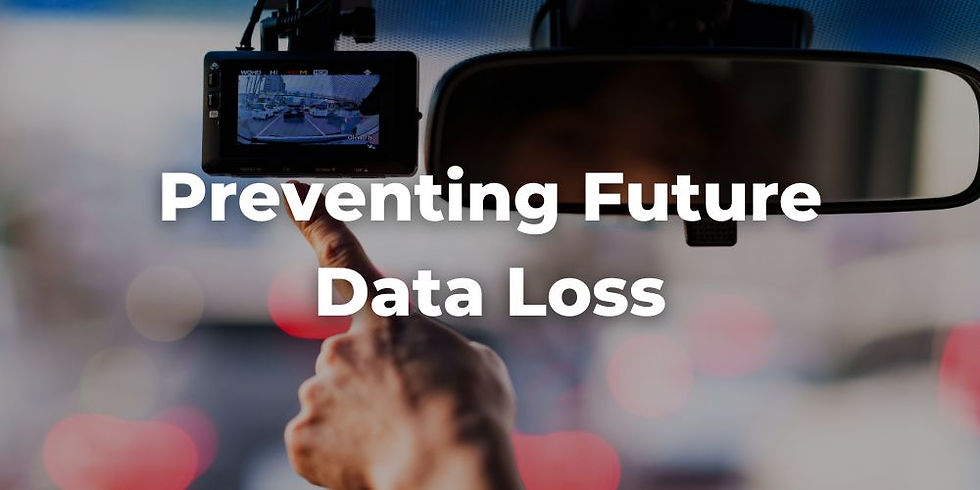
Preventing Future Data Loss
While recovery is possible, prevention is far more reliable.
Use High-Endurance Memory Cards
Standard microSD cards are not built for continuous recording. High-endurance cards are specifically designed for dashcams and last significantly longer under heavy use.
Regularly Back Up Important Footage
If something notable happens, transfer the footage immediately to another device or cloud storage. Waiting too long increases the risk of overwriting.
Enable Automatic File Locking
Ensure that your dashcam’s G-sensor is activated so it automatically protects footage during sudden impacts.
Format Your Card Periodically
Formatting helps maintain performance and reduces the risk of corruption—but only after backing up important files.
Check Your Dash Cam Routinely
Many drivers assume their dash cam is working when it may not be recording at all.
Regularly:
Review sample footage
Check recording indicators
Confirm the date and time are accurate
Overwritten Dash Cam Footage Can Possibly Be Saved
Losing dash cam footage can feel like losing your strongest piece of evidence—but it doesn’t always mean the situation is hopeless.
In many cases, footage can be recovered through:
Careful handling of the memory card
Data recovery software
File repair tools
Professional recovery services
The most important factor is speed. Acting quickly—and avoiding further use of the device—can dramatically improve the chances of success.
For Long Island drivers, where accidents and disputes are a regular part of the driving landscape, a dash cam is more than just a recording device—it is a layer of protection. And when that footage is preserved, recovered, and used effectively, it can make a meaningful difference in both insurance outcomes and legal claims.
Ultimately, the best strategy is a combination of preparedness and quick action. Because when something happens on the road, having access to that footage—and knowing how to recover it—can be just as important as capturing it in the first place.
It's also possible to use a professional data recovery service to recover missing files and missing footage. If you are having issues recovering deleted dashcam videos following an accident, you can also reach out to the Law Office of Carl Maltese. It's possible that the team can help recover videos and restore deleted files that contain critical footage.